

The five-step workflow
The five Cintesa setup steps: General, Data Sources, Visual & UI, Content & Funnels, then Agent Instructions.
Last updated on
Setup is five steps. The project Dashboard shows them as a status bar at the top of the page. The dashboard highlights the next incomplete one — see project setup guidance for the Next step card, the green dot, and why later pages stay locked. When all five are done, the bar marks every step complete and a congratulations card points at the dashboard, Integrations, and Delivery.
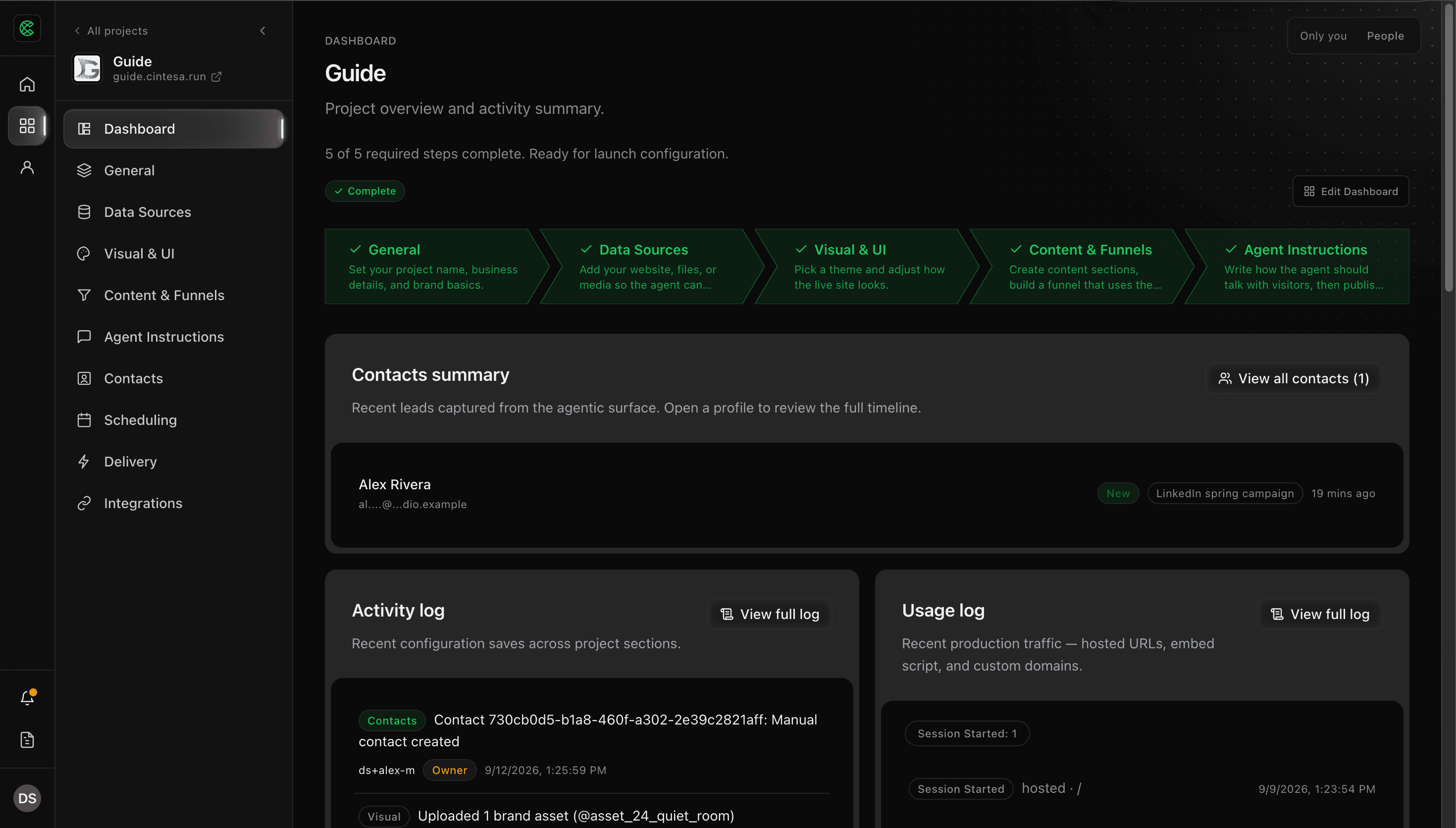
- General — project name, business profile, primary CTA, logo and icon, brand voice. You must save General (or the setup latch) before this step counts. Languages, SEO, Agent readiness, and Management live here; they are not separate workflow steps.
- Data Sources — at least one ingested source that finished (or has pages).
- Visual & UI — pick a theme and save Visual.
- Content & Funnels — add real content sections (the seeded landing hero alone does not count), assign them on a Funnel, then save. Browse the UI blocks library when you create or extend a section. Configure traffic rules after that Funnel exists; they are not a sixth workflow step.
- Agent Instructions — save at least one instruction version. Publish when you are ready, including the optional publish while saving a new version; publish completes the step. Publishing an older version from version history still works.
Custom domain and delivery checks sit outside this list — see Deliver.
Once setup is complete, later delivery work does not reopen these five steps.
© 2026 Cintesa. Guide text and screenshots are Cintesa product materials for personal and operator use. Do not scrape or republish them commercially without permission. Terms of Service · Privacy Policy.