

General
Set the Cintesa project name, business profile, primary CTA, logo, and brand voice — then save General.
Last updated on
Open General. This is workflow step 1.
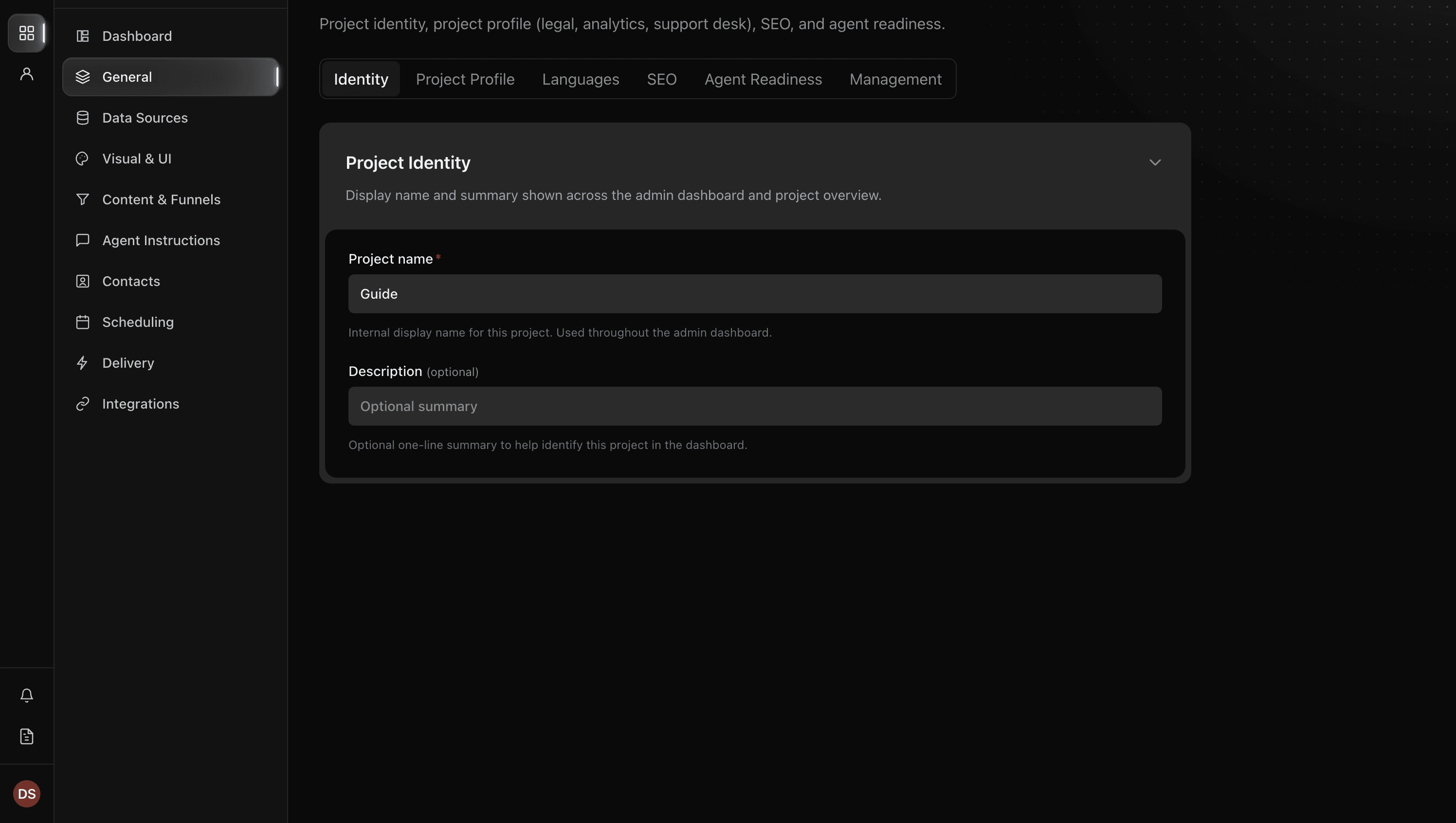
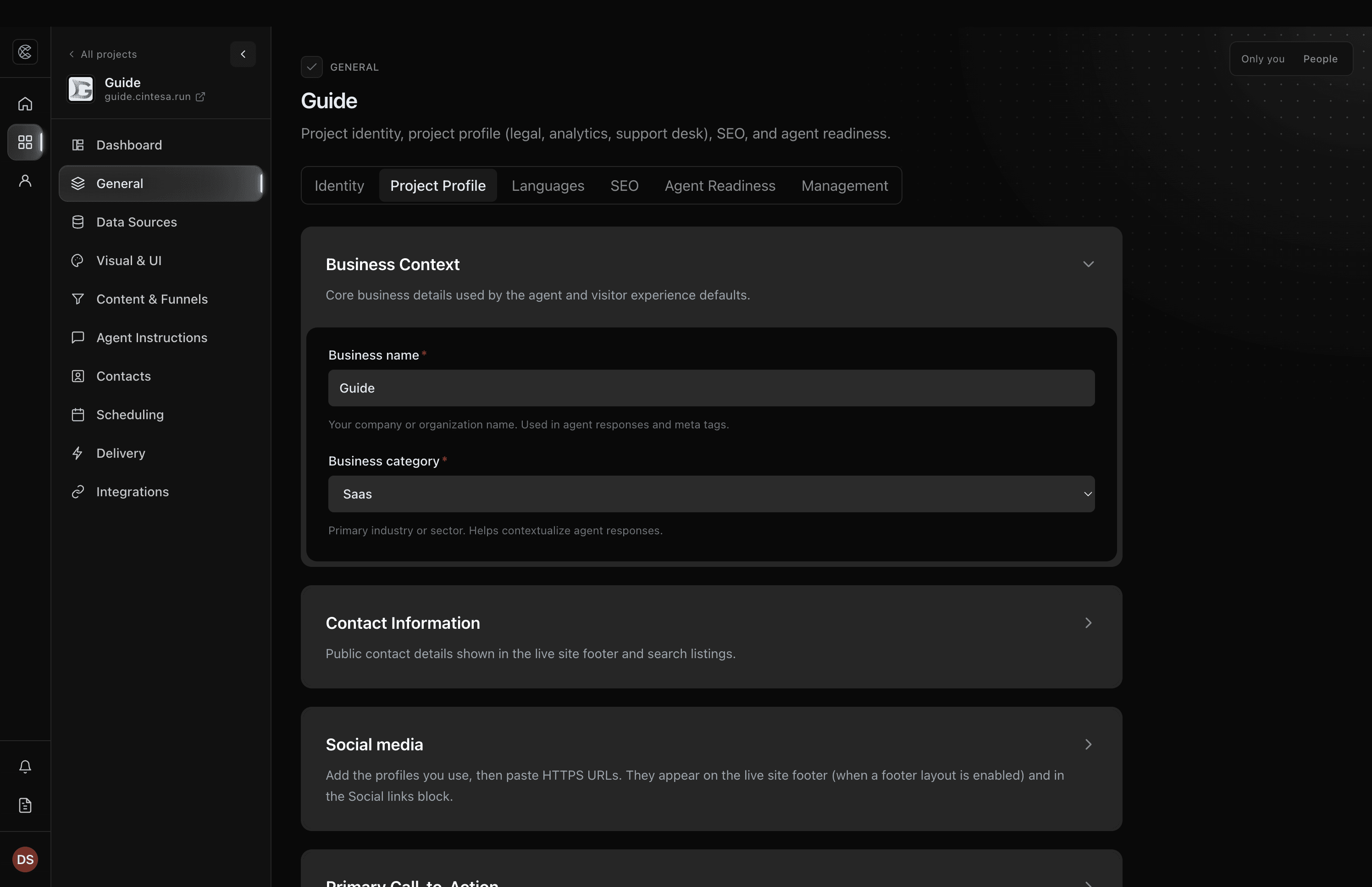
Identity and profile
- Set the project name (Identity). Add a project subdomain so hosted visitor URLs and Agent readiness previews can compile.
- Open Project Profile: business name, primary CTA, brand voice, logo, and icon.
- Save General. The step does not complete until that save (or the setup latch) exists.
Languages and SEO are tabs on General — see Languages & SEO. They are not extra workflow steps.
Agent readiness
General → Agent Readiness publishes short public files so other AI systems can find this project. Fill Identity and Project Profile first; most readiness fields inherit those values.
This tab is not a workflow step. How-to: Agent readiness.
Management
General → Management controls whether the project is live, under construction, or accepting conversations, and includes Delete project. Save management is its own control — it does not complete workflow step 1.
How-to: Project management. First launch: Go live.
Why save matters
The next-step notice looks at a General save. Editing fields without saving leaves step 1 incomplete. Agent readiness has its own Save agent readiness control. Management has its own Save management control.
© 2026 Cintesa. Guide text and screenshots are Cintesa product materials for personal and operator use. Do not scrape or republish them commercially without permission. Terms of Service · Privacy Policy.