

CRM
Connect a CRM so new Cintesa contacts can sync out of the project.
Last updated on
Open Integrations → CRM.
Plan-related feature. Available on Pro or higher (CRM connections). On Basic and Starter the dashboard shows an upgrade notice. See Plans.
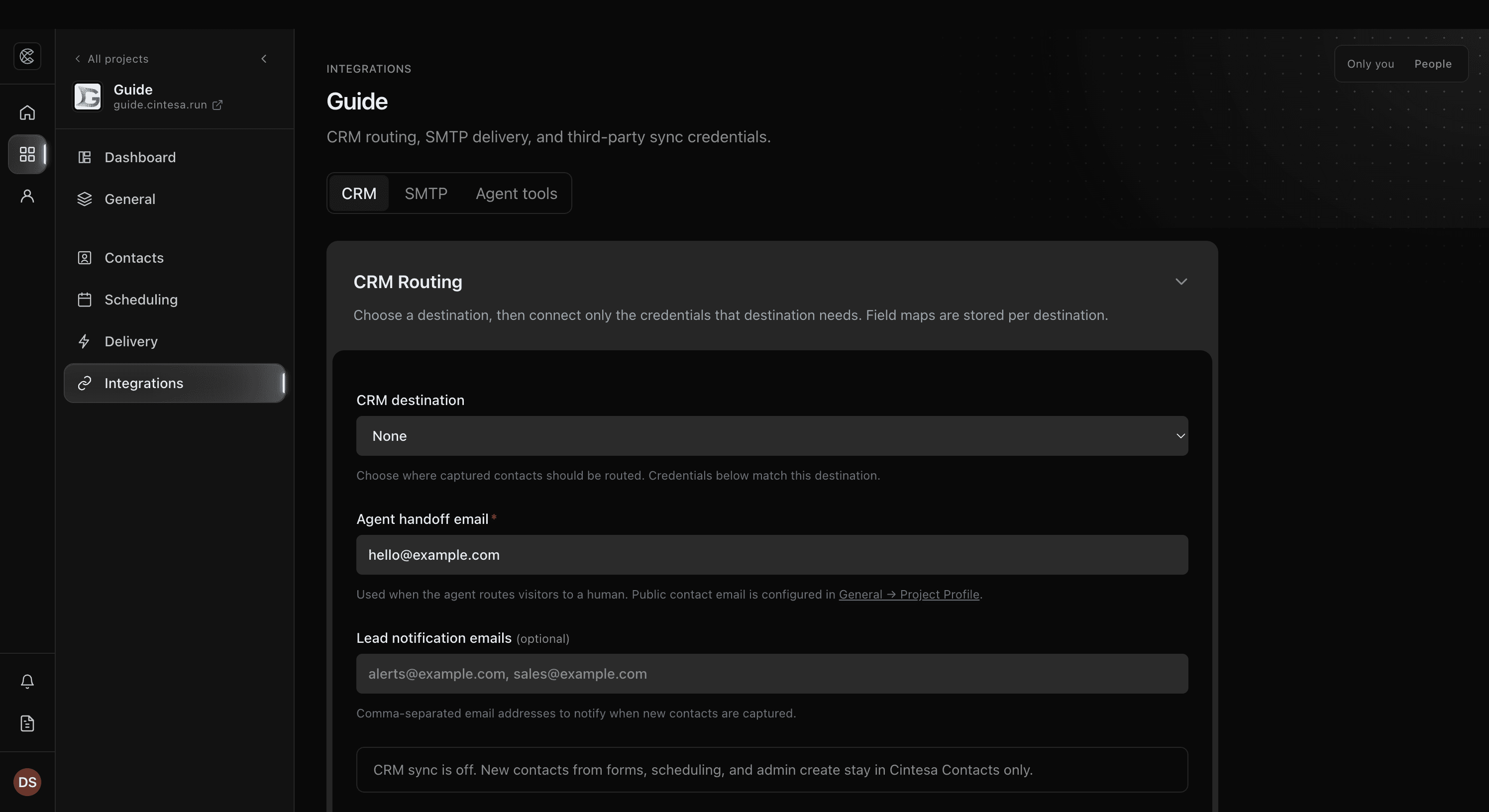
- Choose the destination: HubSpot, Monday, Salesforce, Pipedrive, Zoho CRM, Close, or a webhook URL this project configures.
- Connect that destination and complete its consent or credential step.
- Map the fields, then send a test contact from a staff-owned project.
Contacts you capture also stay in Contacts on every plan, including one-time email campaigns through project SMTP. CRM sync is the extra copy to the destination above.
Choose None when contacts should stay in Cintesa only. Cintesa does not send those contacts, and Delivery status does not record a failure for them. A webhook needs its URL, and a CRM needs its credentials, before a contact is sent.
When a destination is connected, contacts sync when a visitor submits. If a send fails, open Delivery status and use Retry failed jobs. Conversation behavior (“when to ask for a name”) stays in Agent Instructions.
© 2026 Cintesa. Guide text and screenshots are Cintesa product materials for personal and operator use. Do not scrape or republish them commercially without permission. Terms of Service · Privacy Policy.