

Notifications
Cintesa notifies your team in the sidebar inbox, lead emails, and booking staff email — three channels.
Last updated on
The platform notifies your team in three places. They are not one settings page.
Sidebar inbox
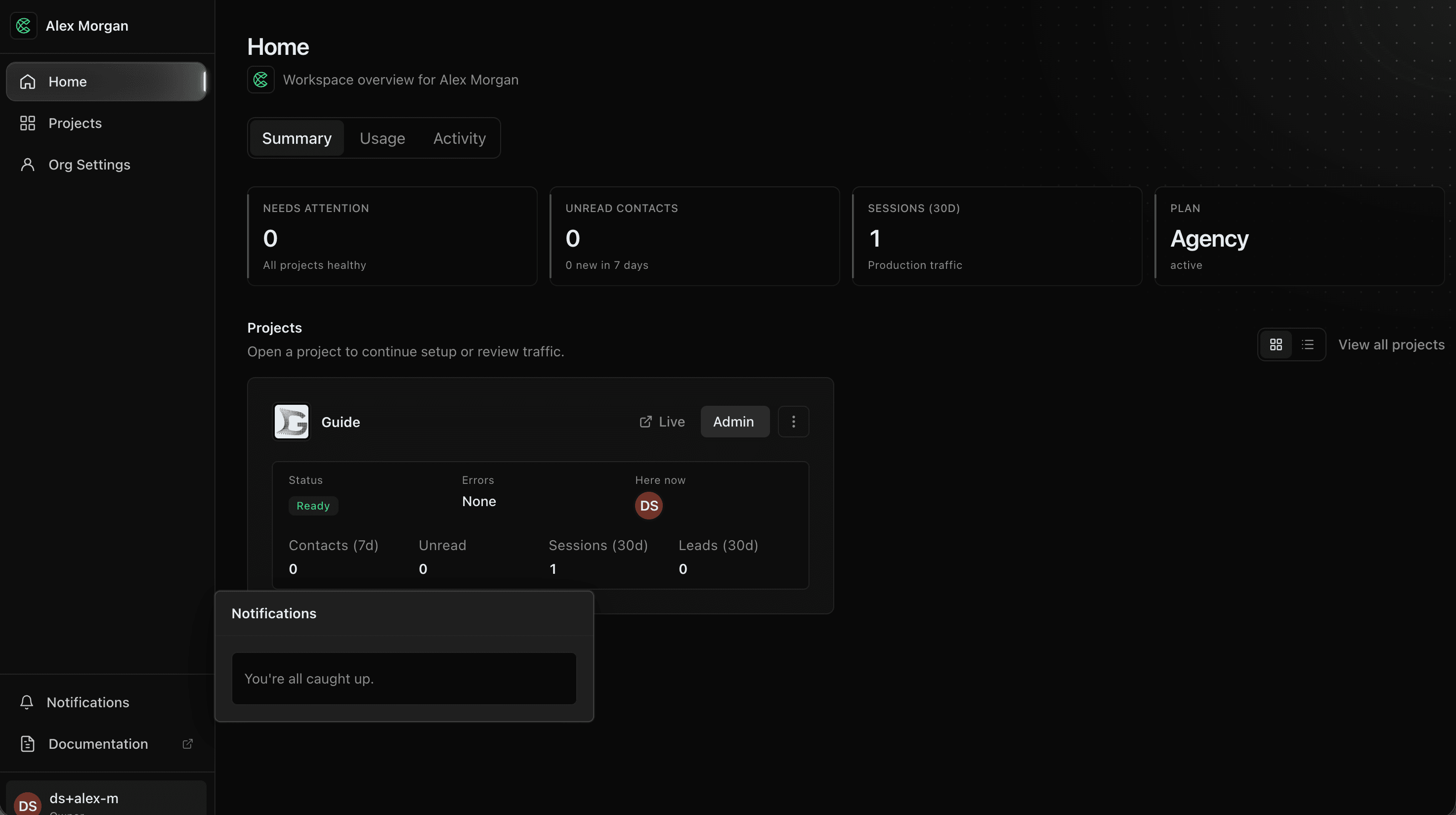
Open Notifications (the bell). On Home, Projects, Support, and Org Settings, the bell is in the sidebar. On a project page, hover All projects at the top of the project sidebar, then choose the bell. A green dot on All projects means something is unread.
- Conversion notices — new contact, form submission, booking created. These go to every organization member who can access the project, plus active Client Sharing portal users on that client.
- Billing / usage warnings when a meter needs attention.
- Platform messages from Cintesa (announcements). You receive those; you do not compose them.
- Support replies — the person who opened a Support request sees a notice when Cintesa support or Cintesa Assistant posts a public reply. An Assistant notice names Cintesa Assistant and the
TKT-…request, and opens that thread. A staff reply names theTKT-…request. The inbox picks up a new reply while you stay in the dashboard (you do not need a full reload). Opening the thread, or choosing the notice, clears unread. Staff-only notes never appear here. Support also shows a green attention dot while a reply is unread. On a project page that dot is on All projects as well.
Mark all read, or dismiss read conversion notices, from the inbox. There is no per-user opt-out list today — recipients come from who can open the project.
Lead notification emails
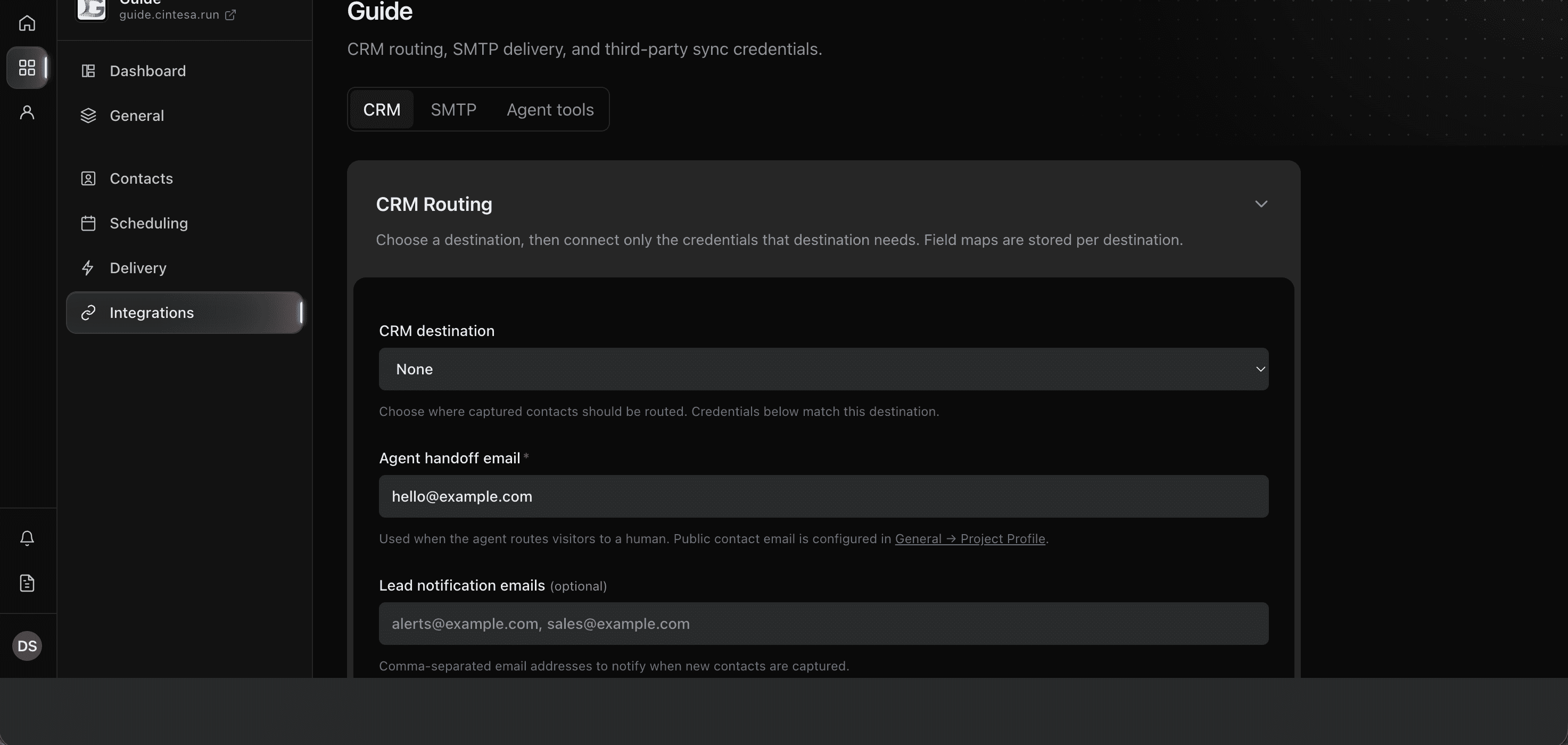
For email when a new contact arrives, open Integrations → CRM and set Lead notification emails (comma-separated). That is separate from the sidebar bell.
Configure Integrations → SMTP if project mail (lead alerts, booking mail, campaigns) should send from your domain. Otherwise the platform sender is used when it is configured.
Booking staff email
Scheduling → Team has a Notification email on each bookable person. Create and status mail for that booking goes there — not to Lead notification emails.
What this is not
The notifications inbox is not the Support workspace and it is not Slack live chat (that is an Integration). Open Support to read or reply to a request. Platform-wide broadcasts are written internally; operators only receive them.
© 2026 Cintesa. Guide text and screenshots are Cintesa product materials for personal and operator use. Do not scrape or republish them commercially without permission. Terms of Service · Privacy Policy.