

Visitor data & privacy
What personal data a Cintesa project stores, where operators see it, and what cleanup does not delete.
Last updated on
Visitor personal data lives in a few places. Operators see it only on this project’s dashboard (and connected tools you turned on). Do not treat conversation logs or the usage log as a second contact list.
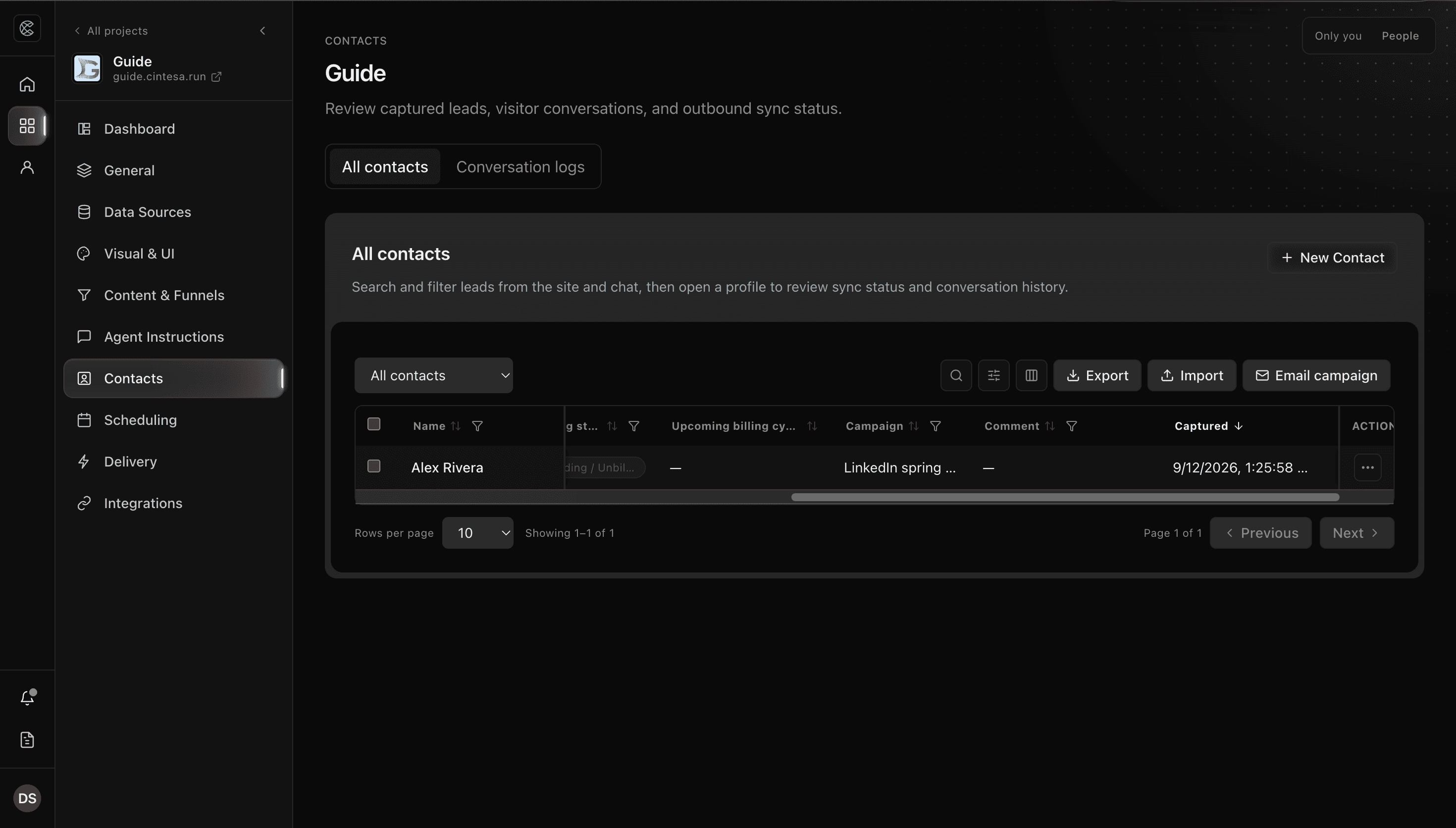
Where personal data is stored
| Location | Typical data | What you see |
|---|---|---|
| Contacts | Email, phone, custom form fields, booking name/email | Full record; fields marked sensitive stay masked until Reveal |
| Conversation logs | Message text, CTA clicks, session and visitor ids | Emails and phones redacted in stored content |
| Usage log | Event names, traffic source, landing path, CTA labels | Events — not a full transcript |
| Bookings | Visitor name, email, phone if collected | Booking detail and the linked contact |
The platform does not add a hidden “knowledge graph” of visitors. What you ingest and what visitors submit is what you have.
Cintesa app signup analytics
The Cintesa signup and login pages ask separately for optional analytics consent. Authentication remains available when a person declines.
When allowed, Cintesa can remember the standard UTM fields — source, medium, campaign, term, and content — or a verified handoff from a Cintesa visitor surface. Pending signup attribution is kept for up to 90 days so it can survive OAuth or email confirmation. Click IDs and arbitrary query fields are not retained.
A person can withdraw this app-wide choice from the Cintesa Privacy page. Withdrawal clears pending signup attribution and stops later tagged auth visits until consent is allowed again. It does not rewrite attribution already attached to an organization. Frozen account attribution and the related signup, setup-complete, and first-purchase records remain for the organization’s lifetime and are removed when that organization is deleted.
This app-wide choice is separate from the consent preference on each project’s visitor site. When a project asks visitors for that preference, a short notice sits above the conversation input: We use cookies. Accept to continue. Accept & continue is the main action. Essential cookies only and Cookie settings sit beside it. Cookie settings opens the longer explanation, the privacy and terms links, and the analytics choice when the project asks for it. Accepting on a computer or a phone stores the choice for one year and lets the conversation continue.
Sensitive fields
- In the content section editor, mark form fields as sensitive when they should not sit in the clear.
- Those values redact in conversation logs and stay masked on the contact until an operator uses Reveal.
- Reveal is an operator action (it is recorded). Copy only what you need.
Use fixture or staff-owned test contacts when you practice this — never a customer’s private data in screenshots or exports you share.
Delete and stop collecting
- Delete contact on the profile removes that lead record. Archived hides the row without deleting it.
- Conversation log cleanup (when retention ships) removes old transcripts. It does not delete contacts or form submissions.
- Turn off live chat under General → Management → Conversations enabled, or put the site Under construction, to stop new sessions — see Project management.
- There is no bulk “purge all visitor data” control today beyond per-contact delete and (later) log time windows.
Security settings
Organization → Security is the place for future sign-in controls (SSO / MFA). Team access is Team members today.
Plan windows for logs are described on Limits. They are not applied yet. Public privacy copy on the marketing site may still describe a window the product has not started enforcing — follow the dashboard, not an old paragraph.
© 2026 Cintesa. Guide text and screenshots are Cintesa product materials for personal and operator use. Do not scrape or republish them commercially without permission. Terms of Service · Privacy Policy.