

Activity & usage logs
Tell Cintesa configuration activity apart from production usage — these are not conversation transcripts.
Last updated on
Cintesa keeps two operator logs that are easy to mix up with conversation logs.
| Log | Where | What it records |
|---|---|---|
| Activity log | Home → Activity; project Dashboard → Activity | Configuration saves — General, Sources, Funnels, Instructions, Integrations, and similar |
| Usage log | Home → Usage; project Dashboard → Usage | Production visitor events — sessions, button clicks, blocks, Funnel steps, leads |
| Billing meters | Home → Usage (grid); organization Billing | Plan caps — sessions, messages, ingested pages, projects, CSV rows, storage |
Activity does not include visitor chat text. Read transcripts on Contacts → Conversation logs.
Home and the project Dashboard show the page first. The setup workflow, project list, summary cards, and these logs fill in on the page. You can switch Home tabs, open a project, or continue a setup step while a section is still loading.
Project Dashboard
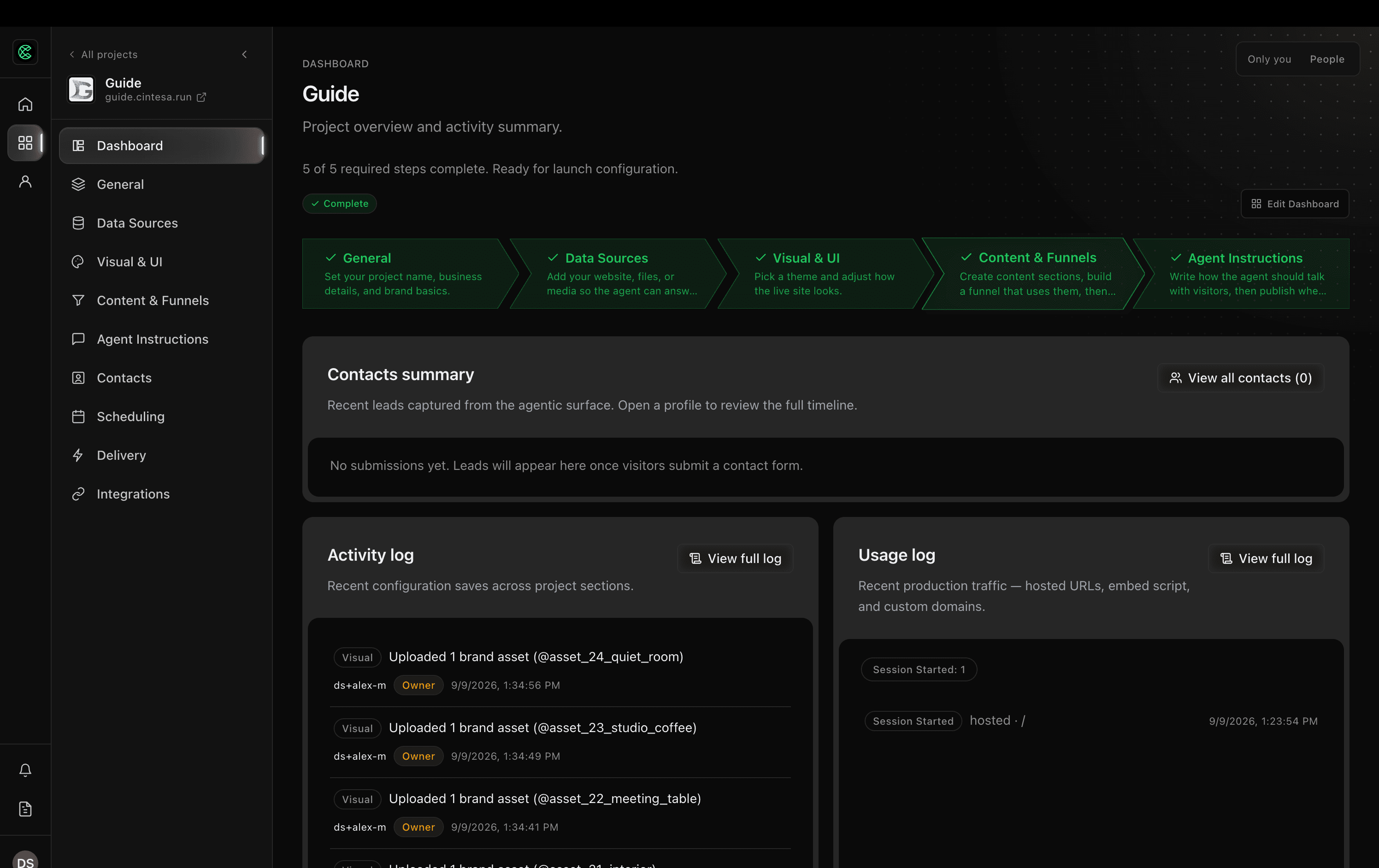
- Open the project Dashboard.
- Use the Activity log and Usage log summaries. The usage summary lists recent conversations with a turn count. View conversation opens that session under Contacts → Conversation logs.
- View full log on Activity opens a filterable table (section, action, time range, search).
- View full log on Usage groups each conversation and indents the actions inside it (session, message, button, Funnel, lead, live chat). Select a session heading to hide or show its actions. While you scroll, that heading stays at the top of the panel until the next conversation's heading reaches the top and takes its place. Filter by turns, time, Funnel, contact, or action type. Sessions with no visitor turns stay hidden until you choose All sessions.
The default time range is 7 days. Widen it to 24 hours, 30 days, 90 days, or all when you need a longer look. Home → Usage stays a flat list of production events across projects.
Home (organization)
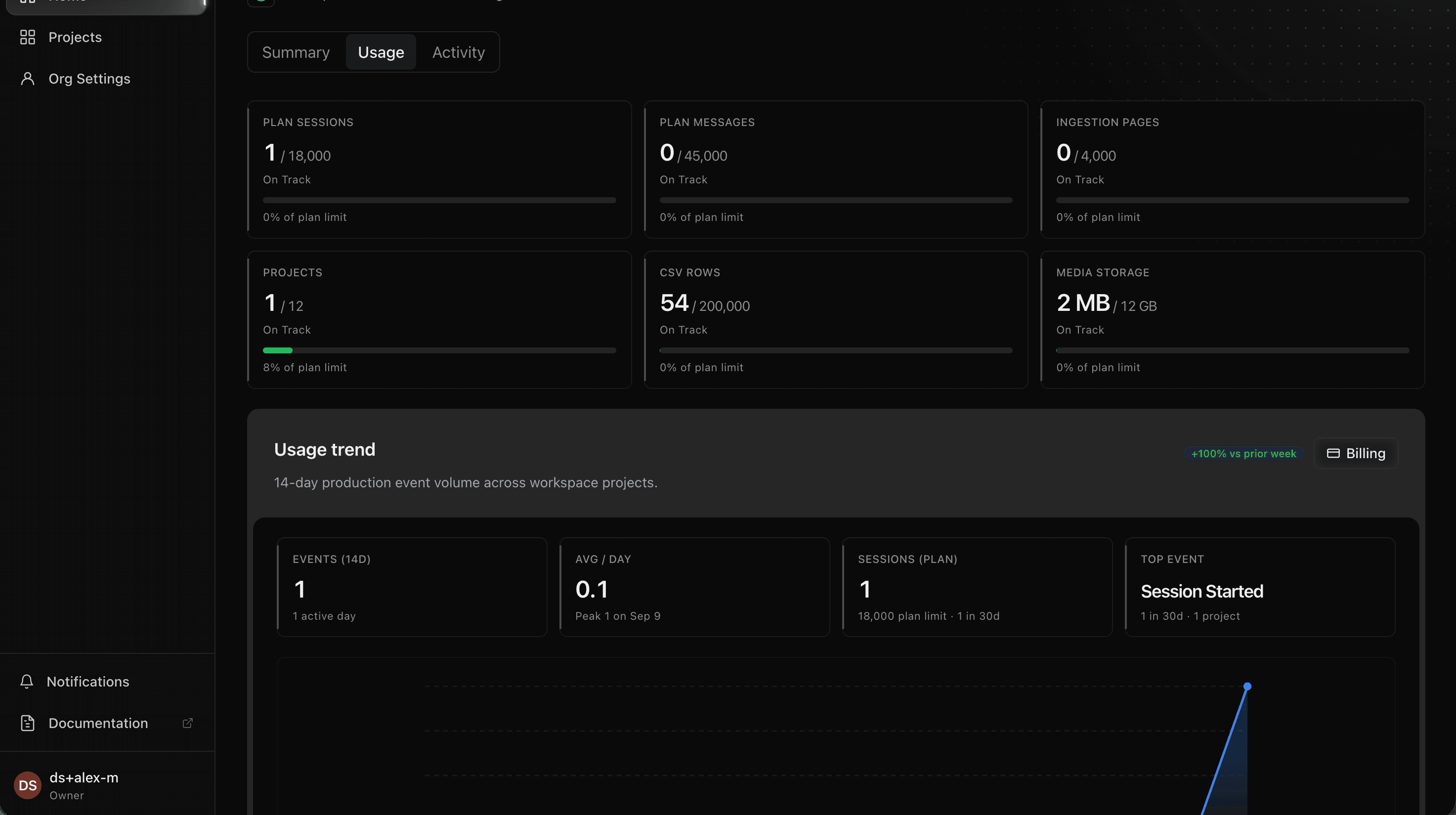
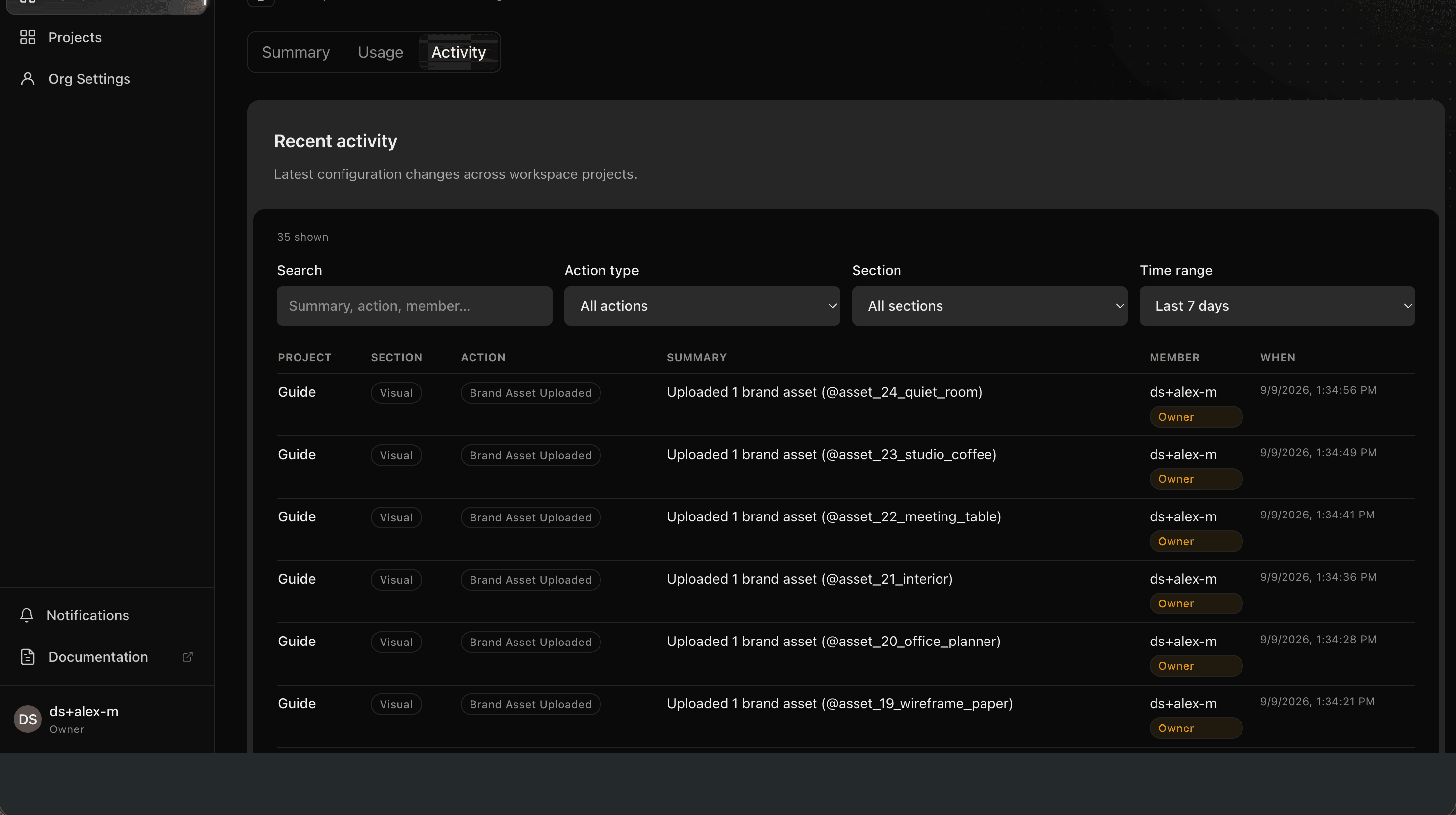
- Open Home.
- Usage — org-wide plan meters plus a usage log that includes a project column.
- Activity — recent configuration changes across projects in the organization.
- Open organization Billing when a meter is close to a cap — see Plans and Limits.
Retention
Usage events grow until log retention is enforced. Activity is a separate configuration audit history and will not use the paid conversation-and-usage window. Contacts stay. Usage and conversation retention is not shipped yet (extra live-log days are planned for Pro and Agency). Until enforcement ships, treat usage and conversation logs as kept.
© 2026 Cintesa. Guide text and screenshots are Cintesa product materials for personal and operator use. Do not scrape or republish them commercially without permission. Terms of Service · Privacy Policy.