

Domains
Attach a custom hostname to a Cintesa project and wait for DNS plus platform checks to pass.
Last updated on
Open the project’s Delivery settings.
Plan-related feature. Custom domains are available on Starter or higher. Every plan can use the hosted Cintesa subdomain. See Plans.
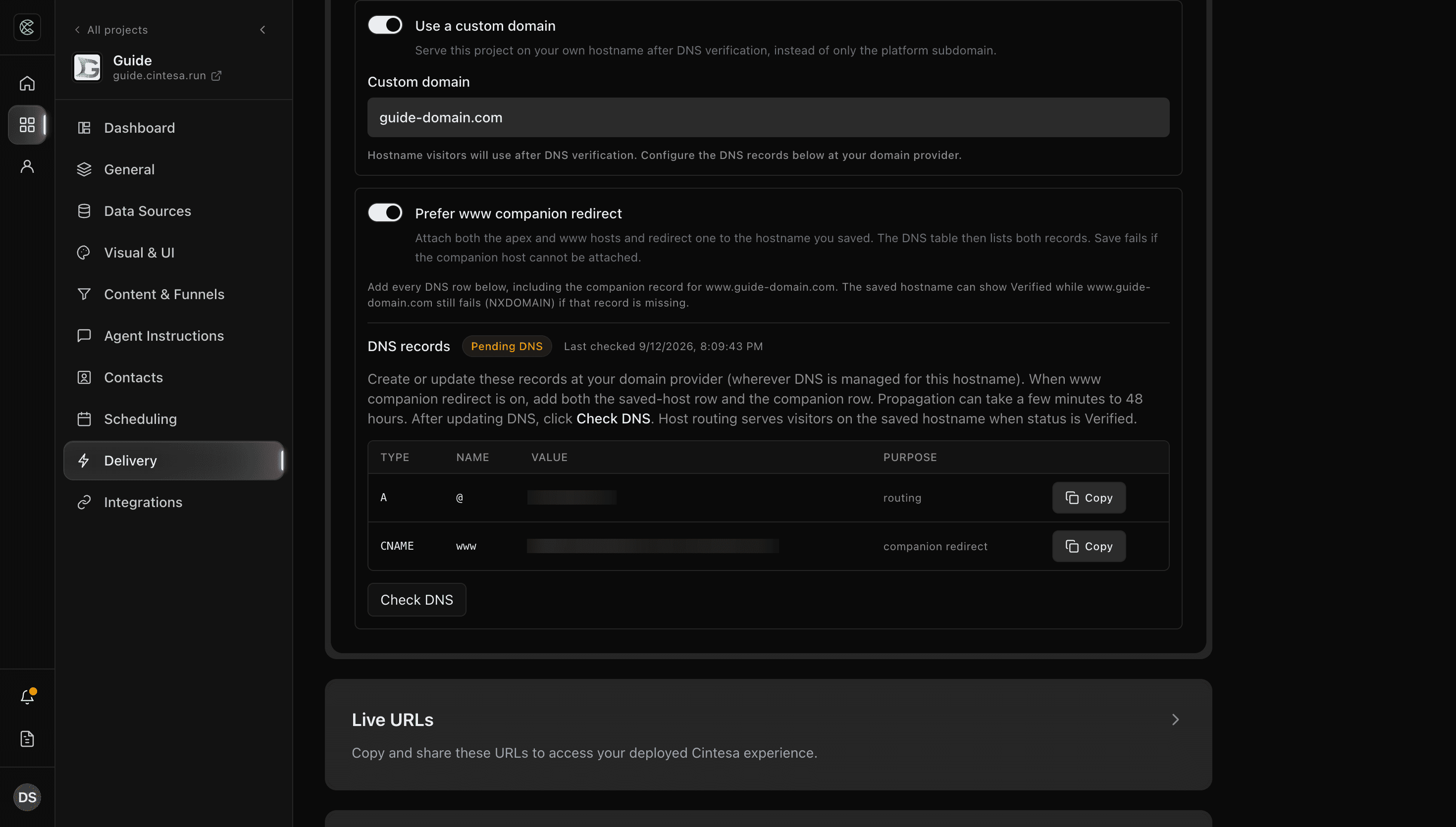
- Turn on Use a custom domain and enter the hostname you own.
- Turn on Prefer www companion redirect when you want both the apex and
www, then click Save delivery. - Create every DNS record the dashboard shows (usually a CNAME, or an A / ALIAS record on an apex). When the companion redirect is on, the table lists both — an A / ALIAS on the apex and a CNAME on
www. - Click Check DNS. Wait until the status is live. HTTPS is issued for you.
Apex and www count as the same hostname. You can change www.example.com to example.com (or the other way) on this project. If the companion host cannot be attached, Delivery reports an error instead of verified.
The saved hostname can show Verified while the other host still fails. If visitors see NXDOMAIN on www (or on the apex), add the companion row from the table. Removing the leftover www CNAME after a switch to the apex is a common cause.
The marketing site on the platform apex is a separate project. Do not point that apex at this docs guide.
If the hostname stays pending, re-check DNS spelling and TTL. Troubleshooting covers common hold-ups, including “already used” errors.
A verified domain still returns not found while Project active is off, and shows a maintenance page while Under construction is on. See Project management.
© 2026 Cintesa. Guide text and screenshots are Cintesa product materials for personal and operator use. Do not scrape or republish them commercially without permission. Terms of Service · Privacy Policy.